Network Integration Guide for Amical Phones
Guide Introduction
This guide is for technical network configuration. An installation guide can be found at https://go.amical-ai.com
Network types
Internal networks in establishments are generally protected by a password and, in many cases, by filtering based on MAC addresses.
If your establishment has MAC address filtering, to allow Amical phones to connect properly, it is necessary to authorize their MAC addresses manually for each device.
Some establishments also have data filtering that block some types of traffic required by Amical devices.
MAC Addresses
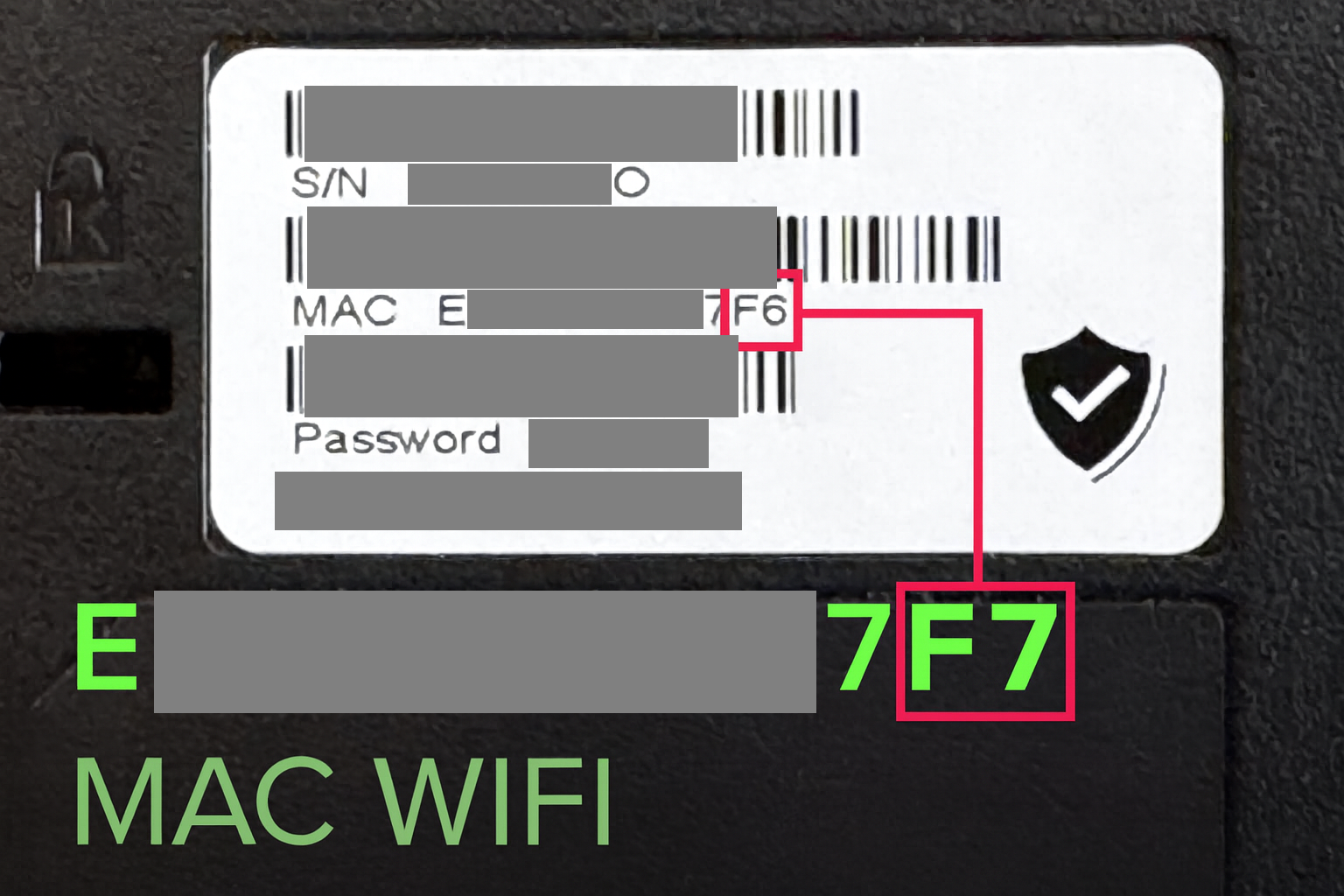
On the back of the phone, you will find the device's MAC address. This is the wired MAC address. You need to convert it for Wi-Fi. To do so, add "+1" to the last value of the printed address.
If the printed address ends with AB, the Wi-Fi address will be AC.
If it ends with K2, the Wi-Fi address will be K3.
Do not trust the MAC address on the device box, always check the MAC address on the actual device.
✅ in around 90 % of residences, this is all you need to do. Continue reading if the device says the phone is connected to the wifi but you still have connection problems
Expected Results
Once the MAC addresses are authorized and the necessary ports are open:
- Amical phones will connect normally to the network.
- Voice communications will function without interruption.
- Updates, fleet management, and administrative services will be fully operational.
Technical Assistance
If your technical team wishes to schedule a meeting or needs additional help, they can book a session with our team via: https://fx.amical-ai.com